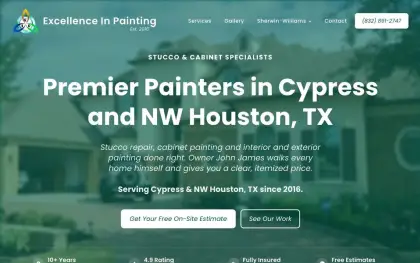
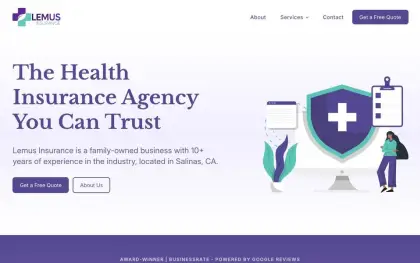
When someone searches for "deck staining near me" or "family health insurance", the page they land on is often a service page. That page has one job: help them decide to call you.
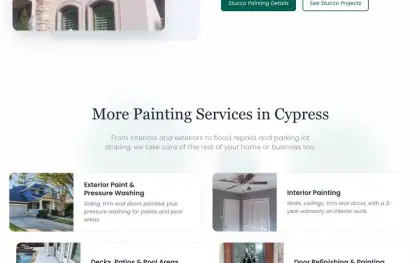
Many websites list all their services on one page with a sentence each. That's a missed chance. A page for each main service, with real detail, helps customers decide and helps Google understand what you do.
- One page per main service.
- Answer the questions customers ask before they call.
- Show proof: photos, reviews, details.
- End with one clear next step.
A simple outline
You can follow the same structure for every service. The content inside is what makes each page useful.
Each part answers a question the customer already has in mind. When the page answers them in this order, people move from "Is this what I need?" to "Can I trust them?" to "How do I get started?" without having to pick up the phone just to find out.
What it is, in plain words
One or two sentences a customer understands immediately, without jargon.
For example: "We sand, clean and stain wooden decks, so they look new and last longer."
Who it's for
The situations where people need this service.
For example: "Decks that are graying, peeling or haven't been stained in a few years."
How it works
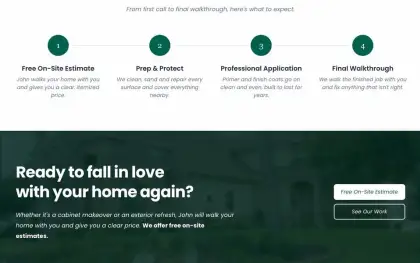
The steps from the first call to the finished job, so people know what to expect.
For example: Free estimate, scheduling, prep, staining, final walkthrough.
What it costs, or how pricing works
Even a range or a "starting at" price helps people qualify themselves.
For example: "Most decks cost between X and Y, depending on size and condition."
Proof
Photos of this service, a short review, materials you use, warranties.
For example: Three before-and-after photos and one review that mentions the deck.
Answer the real questions
The best service pages read like a conversation with a good salesperson who doesn't push. Think about the questions you answer most often on the phone, and answer them on the page.
The answers don't need to be long. A sentence or two each is often enough. What matters is that the customer finds them on the page, at the moment they're wondering, instead of having to call or guess.
A good way to find them is to look through your messages and call notes from the last few months. The same five or six questions usually come up again and again, and those are the ones worth answering first.
Show proof next to the words
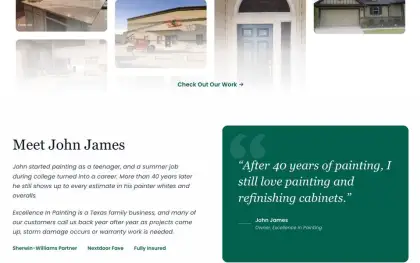
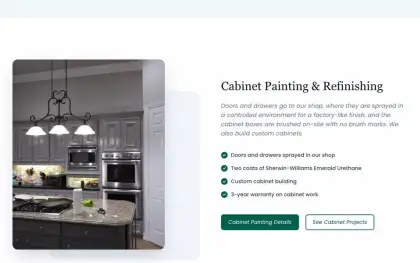
Customers believe what they can see. A few photos of real jobs, taken by you or your team, say more about your work than any description. Put them next to the part of the page they relate to, so a visitor reading about prep sees photos of prep.
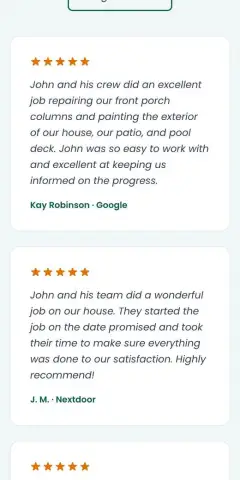
Reviews work the same way. A short quote from a customer who hired you for this exact service is more convincing than your best review about something else. If you have one, place it near the middle of the page, where people start to decide.
Details count as proof too: how long you've done this work, the materials you use, any license or warranty that applies. Mention them briefly, in plain words, right where they answer a doubt.
Keep it scannable
People skim before they read. Short sections with clear headings, a few photos and a short list or two make a page easy to take in on a phone.
Most people read a service page in two passes: a quick skim to see if it's relevant, then a closer read of the parts that matter to them. Clear headings and short sections make both passes easy.
- Short paragraphs with headings
- Photos next to the text they relate to
- A phone number or button near the top and at the end
- One long block of text
- Jargon and technical terms
- The only call to action hidden at the very bottom
End with one clear next step
Every service page should end by telling people exactly what to do next: call, request a quote, or book a visit. Pick one main action and make it easy to find, with your phone number close by for people who prefer to talk.
Say what happens after they get in touch, too. "We'll call you back the same day to set up a free estimate" is far more reassuring than a bare button, because it tells people what they're signing up for.